PDF tool for offices and administration
Split combined PDFs. Name them automatically.
Perfora splits a PDF full of payslips, invoices or certificates into separate files – and gives each file the right name taken from the document. No formulas, no cloud, just a few clicks.
For Windows, macOS and Linux · Documents stay on your device
 Perfora
- Processing only on your device
- No formulas, no jargon
- Preview before saving
- Ten languages, light and dark
From one combined PDF to separate files in three steps
Show Perfora once in the document what matters. The app does the rest – for every page.
- 1
Mark the split point
Click the text in the document that starts every part, such as “Payslip”. The overview instantly shows where each file begins.
Perfora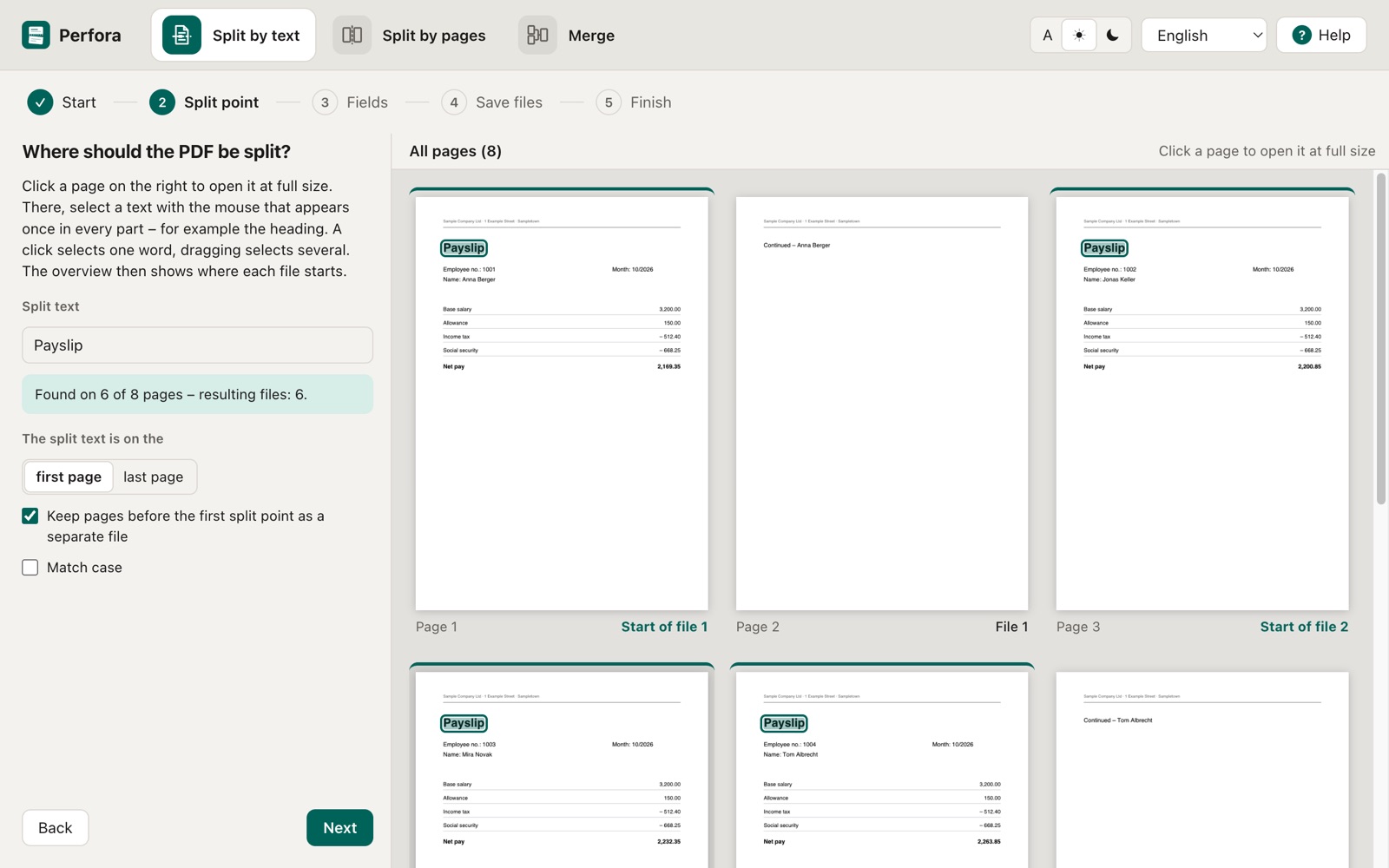
- 2
Mark the values for the file name
Select the employee number, name or invoice number. Perfora finds these values again in every part – even if they are in a different place.
Perfora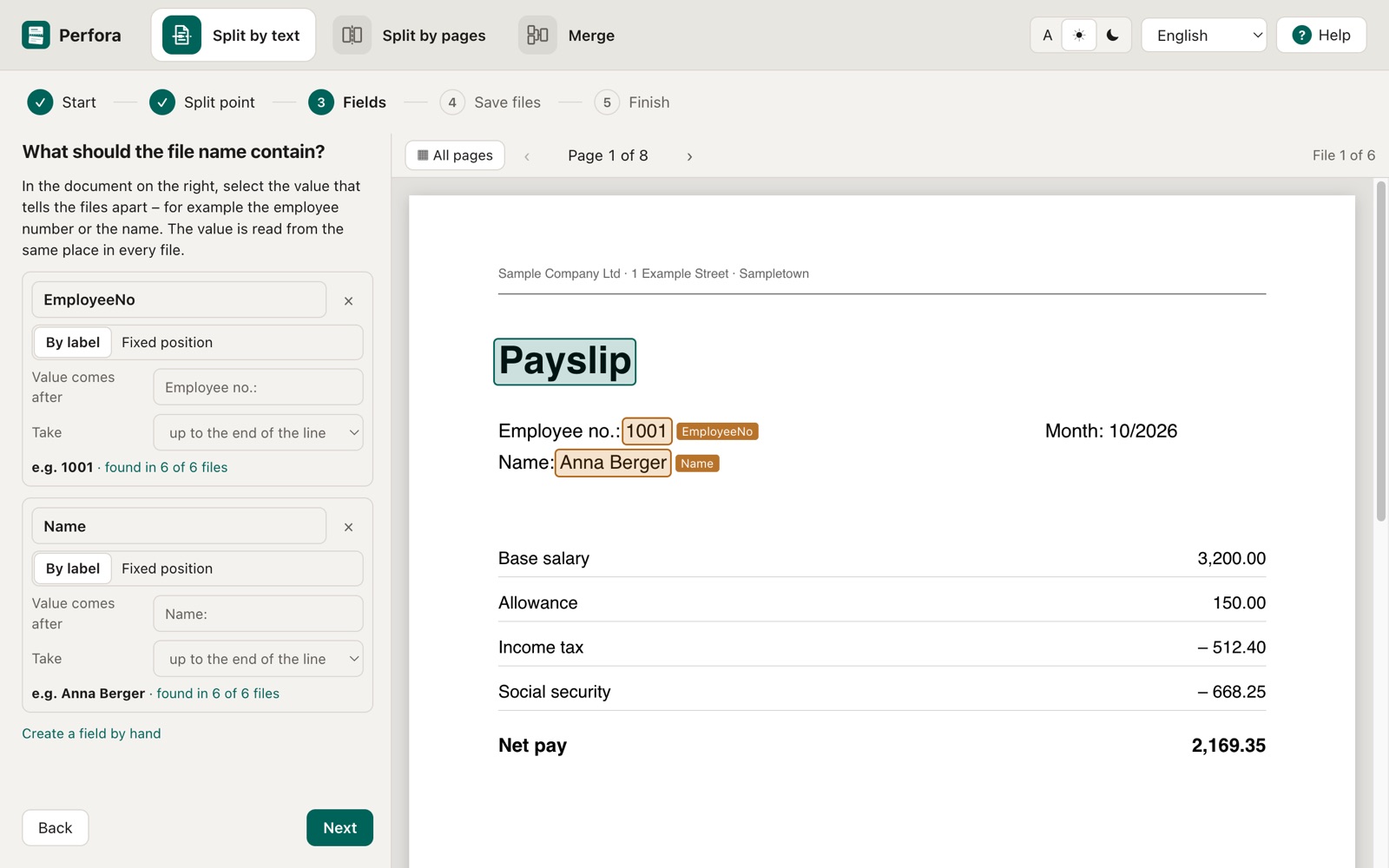
- 3
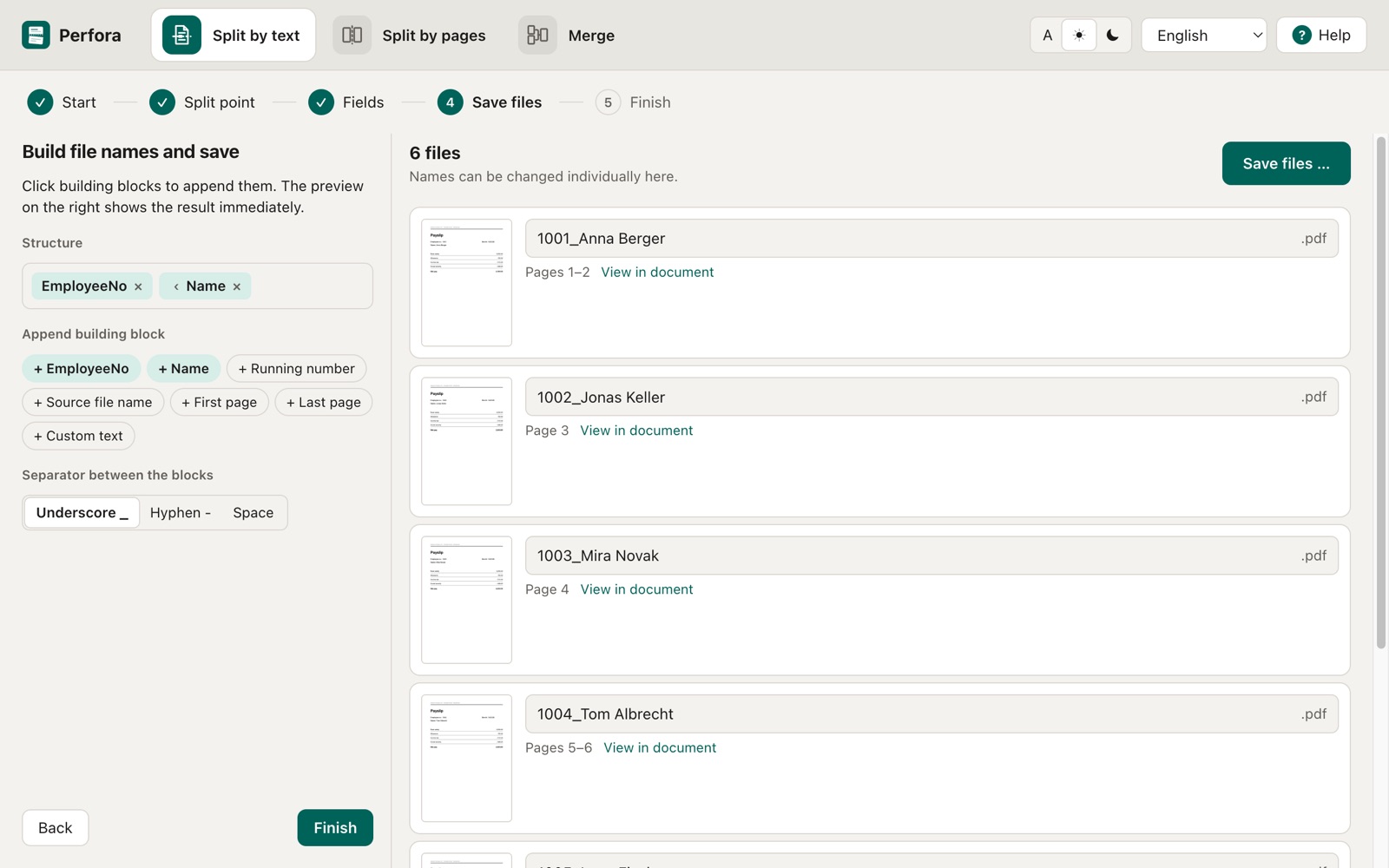
Check the preview and save
Every file appears with its name and page range. Check it, change individual names if needed, save – done. Saved as a template, next month is even faster.
Perfora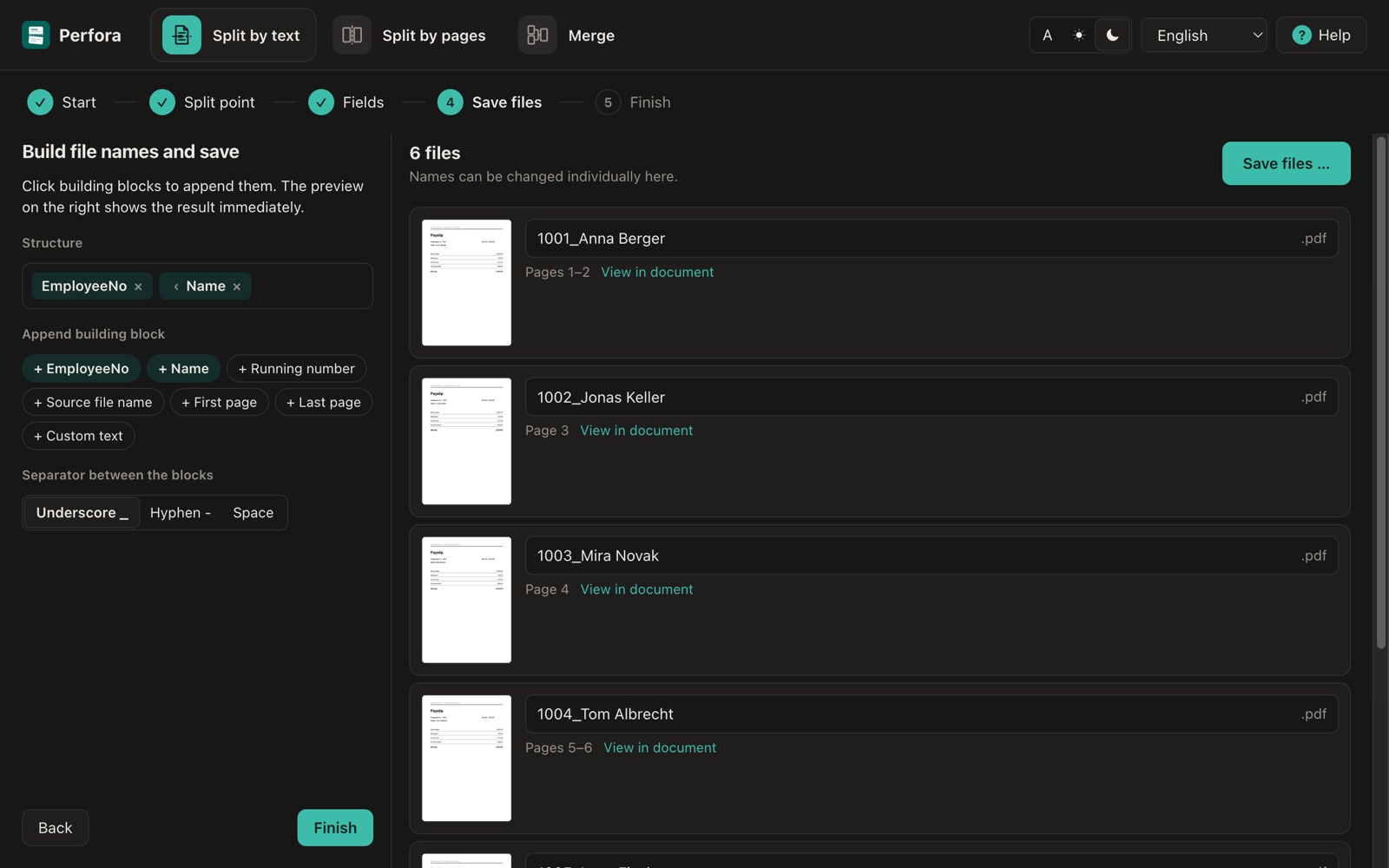
What Perfora is made for
Wherever software prints many documents into a single PDF that you need to send or file one by one.
Payslips
One file per employee, named by employee number and name – ready to send or to file in the personnel record.
Invoices
Split batch invoices into individual documents and name them by invoice or customer number.
Delivery notes
File delivery notes per order instead of picking out pages by hand.
Certificates and reports
Save school reports and certificates per student – done in minutes in the school office.
Utility statements
Split service charge statements per flat or tenant and give them clear names.
Statements and notices
Split long PDFs by a fixed number of pages or merge several PDFs into one.
Split payslips from a combined PDF and name them automatically →
Everything you need to split and name PDFs
Perfora is deliberately easy to use – and still covers the cases that come up in everyday office work.
Split PDF by text
One click on the heading in the document is enough. Choose whether the text is on the first or last page of each part.
File names from the document
Fields such as employee number or name are read by their label or at a fixed position and combined into the file name.
Split PDF by page count
Every page on its own or one file every n pages – for documents of equal length.
Merge PDFs
Put several PDFs in the order you want and combine them into one file.
Templates
Save your settings as a template. Next month, just load the new PDF – the preview is ready at once.
Preview and control
Every resulting file with thumbnail, page range and name. Missing values and duplicate names are flagged.
Nothing gets overwritten
If files with the same name already exist in the target folder, Perfora asks first. The source file always stays unchanged.
Valid file names everywhere
Invalid characters are cleaned up for Windows, macOS and Linux, and duplicate names are numbered automatically.
Your documents stay on your device
Payslips and invoices contain personal data. That is why Perfora processes everything locally: no upload, no cloud, no user account, no telemetry. The only internet connection is the licence key check – it transmits nothing but the key.
- Documents are never uploaded
- No account, no ads, no analytics
- Works offline
- Suitable for handling personal data under the GDPR
Perfora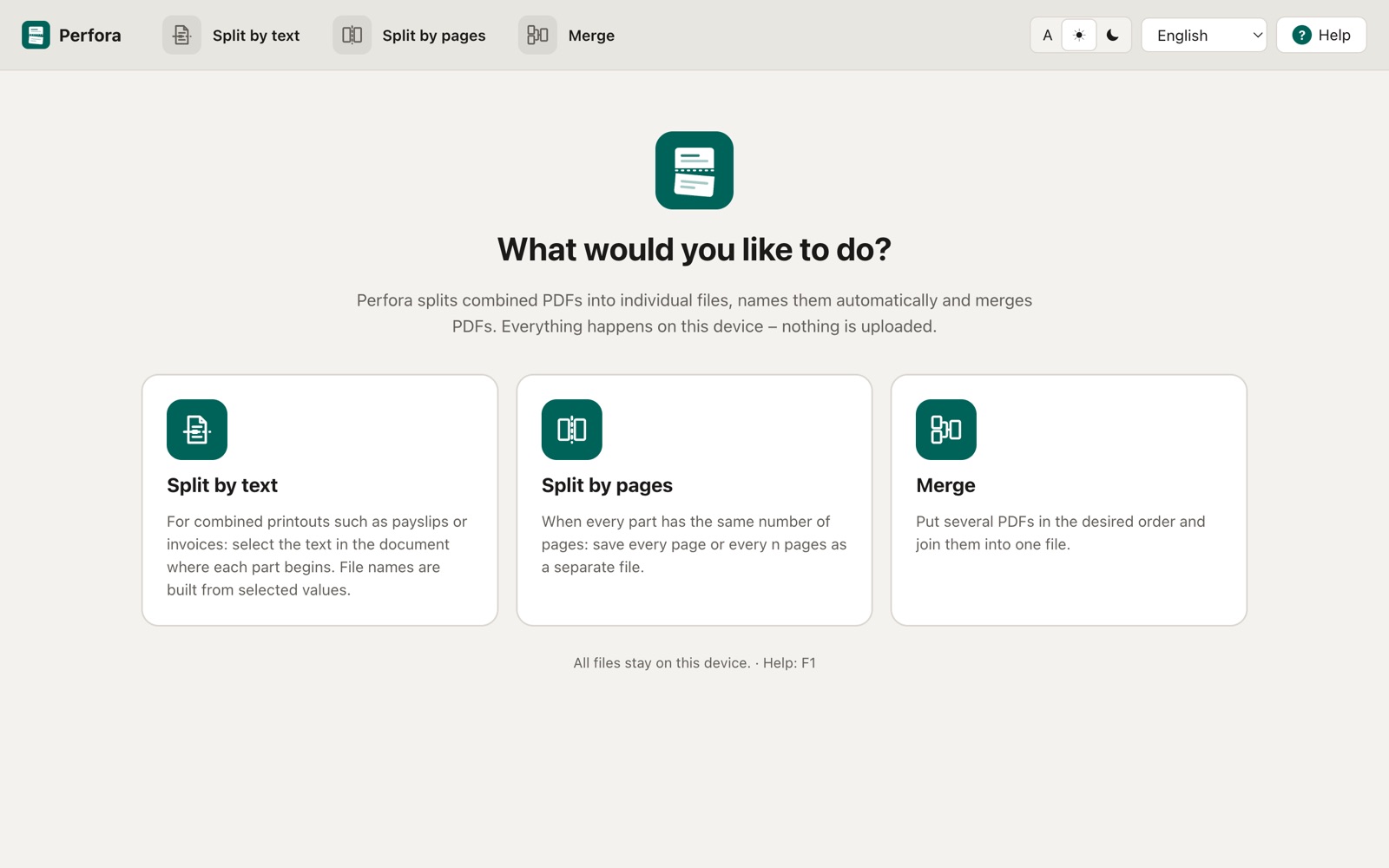
One price. All features.
Try Perfora with all features for 14 days – no sign-up and no payment details.
Perfora licence
49 €
incl. VAT · price shown in your currency at checkout
- All features: split by text and pages, merge, templates
- Free 14-day trial
- Purchase and invoice via Lemon Squeezy
- Activate with a licence key right in the app
After the trial you can still view everything; saving requires a licence.
Frequently asked questions
How do I split a PDF with many payslips into separate files?
Open the combined PDF in Perfora under “Split by text” and click the heading that starts every payslip. Then select the employee number and name. Perfora shows all resulting files with their names and saves them to the folder you choose.
Are my documents uploaded?
No. Perfora processes all files exclusively on your device. There is no cloud, no user account and no telemetry. Only the licence key is sent to Lemon Squeezy to check the licence.
Do I need to know regular expressions or placeholders?
No. The split text and fields are created by selecting them in the displayed document. The file name is assembled from building blocks with a few clicks.
Does Perfora work with scanned PDFs?
Perfora reads the text of the PDF. Scanned documents without a text layer are detected and reported but not yet processed. Text recognition (OCR) is planned.
Which systems does Perfora run on?
Windows 10 and 11, macOS 12 or later and current Linux distributions with a desktop. A normal office PC with 4 GB of RAM is enough.
What happens after the trial?
After 14 days you can still open all documents and view the preview. To save the files you need a licence, which you buy and activate right in the app.
Can I also split PDFs by page count or merge them?
Yes. “Split by pages” creates one file per page or every n pages. “Merge” combines several PDFs in the order you want.
Are existing files overwritten?
Only if you explicitly choose to. If files with the same name already exist in the target folder, Perfora asks. The source file is never changed.
Download Perfora
Download Perfora and try all features free for 14 days.
Windows 10 and 11
Coming soonmacOS 12 or later
Coming soonLinux (AppImage)
Coming soon
Perfora will be available shortly. Write to us if you would like to be notified: rvs-support@von-schlegell.de